📒 100+ one-page cheat sheets·Instant access
Click·Follow·Make

Stop googling every time you open Design Space.

Get 100+ one-page Cricut cheat sheets and make your project tonight. Find the page, follow the arrows, cut. Any Cricut, any device, no experience needed.

📒
Updated for 2026 · Works with every Cricut that runs Design Space
✨ Instant access!
100+cheat sheets
Get your Cricut Coach Playbook →
Instant access · No subscription
Cricut Coach Playbook
Sticky-note chaosOne page per task

← drag · from post-its everywhere to one clear page next to your Cricut ✂️

Sound familiar?

Your Cricut shouldn't feel this hard.

“How did I do Print Then Cut last time?”

You figured it out once, three YouTube videos deep. Two weeks later it's gone, and you start searching all over again.

“Where did that button go?”

Design Space updates, the menus move, and the tutorial you saved shows a screen that doesn't exist anymore.

You've wasted vinyl (and a shirt)

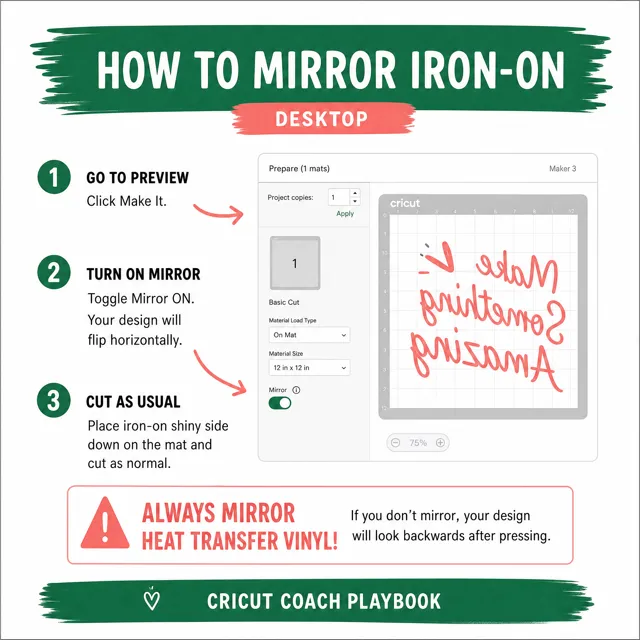
You forgot to mirror the iron-on, or it cut the letters apart because nothing was welded. Expensive little mistakes.

Your Cricut is collecting dust

You bought it full of ideas. Now it sits on the table because opening Design Space feels like a chore.

Here's the thing: it was never about talent. You just need the steps in front of you.

Why a playbook works

The steps you need, right next to your machine.

Videos make you pause, rewind and squint. A one-page cheat sheet shows you the whole task at a glance.

01

One task per page

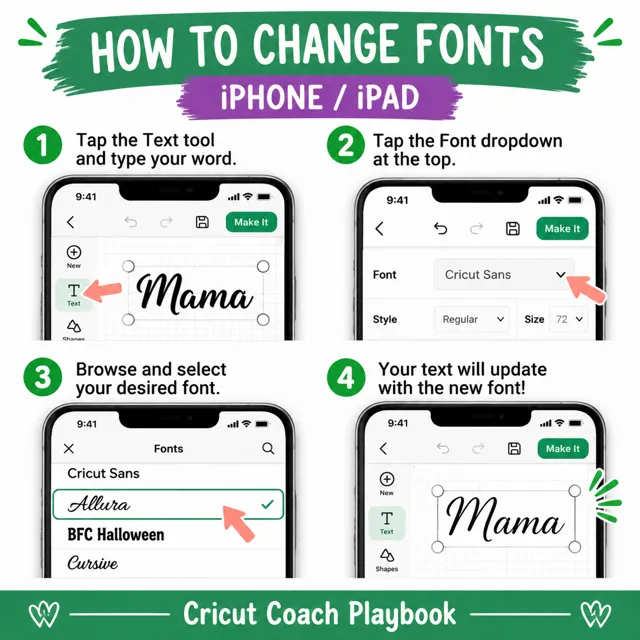
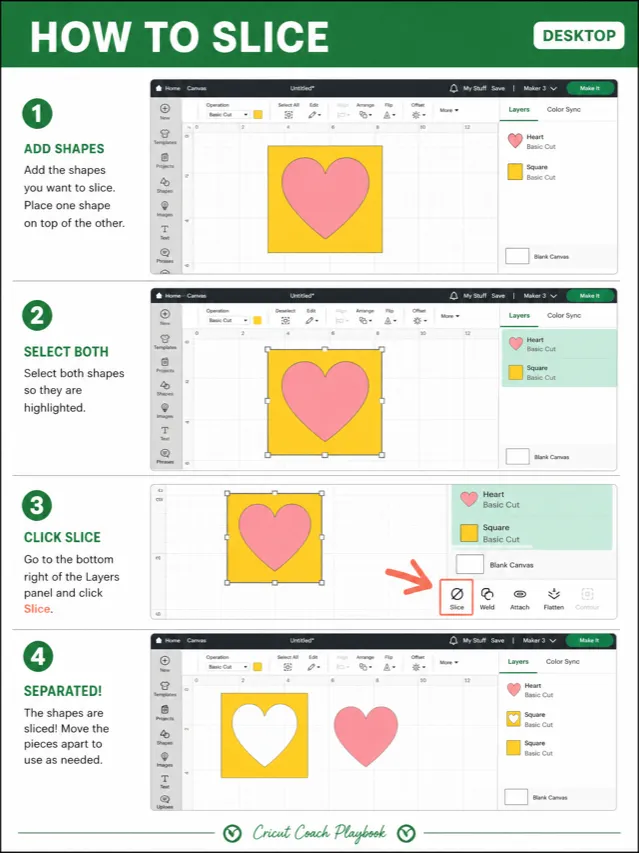
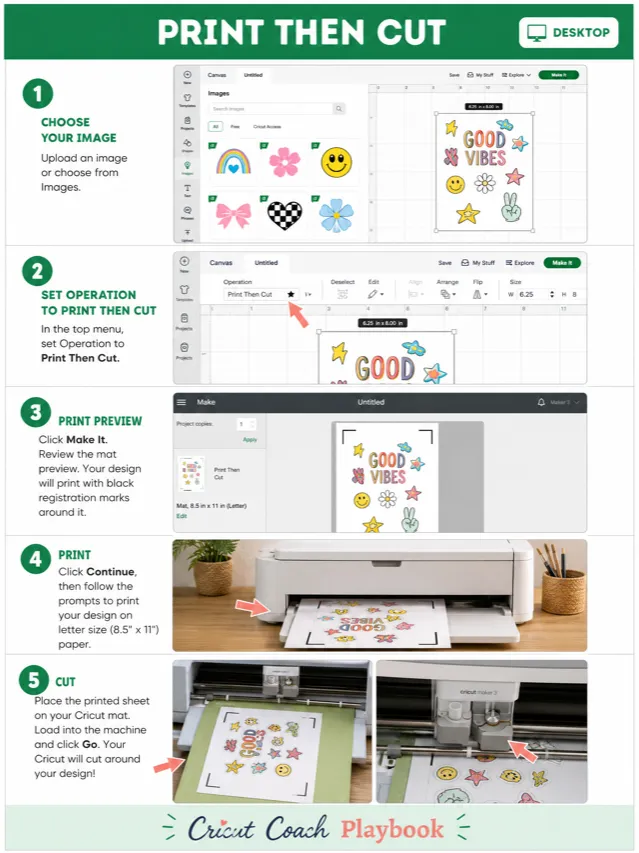
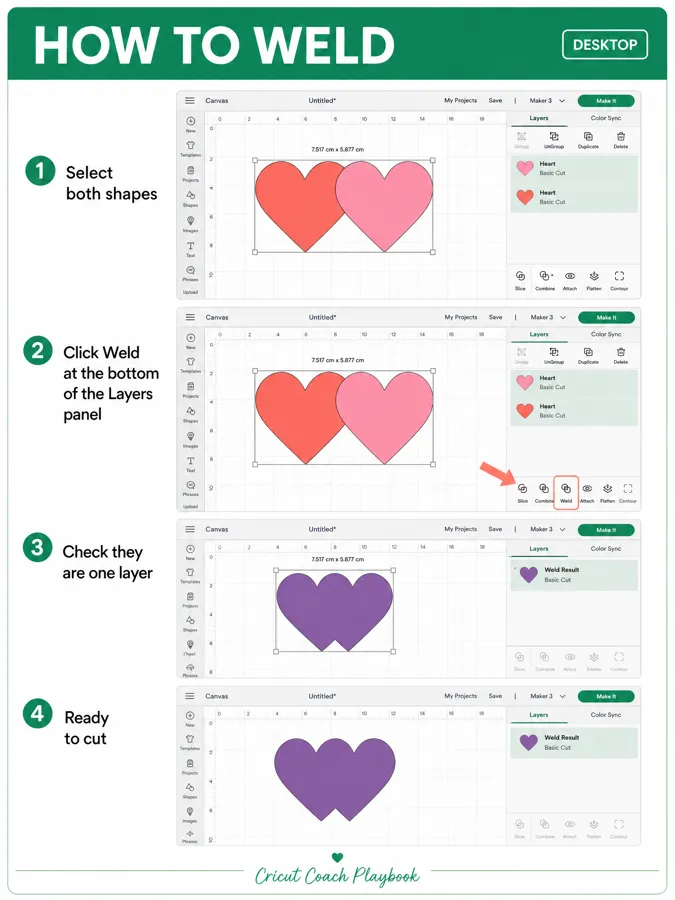
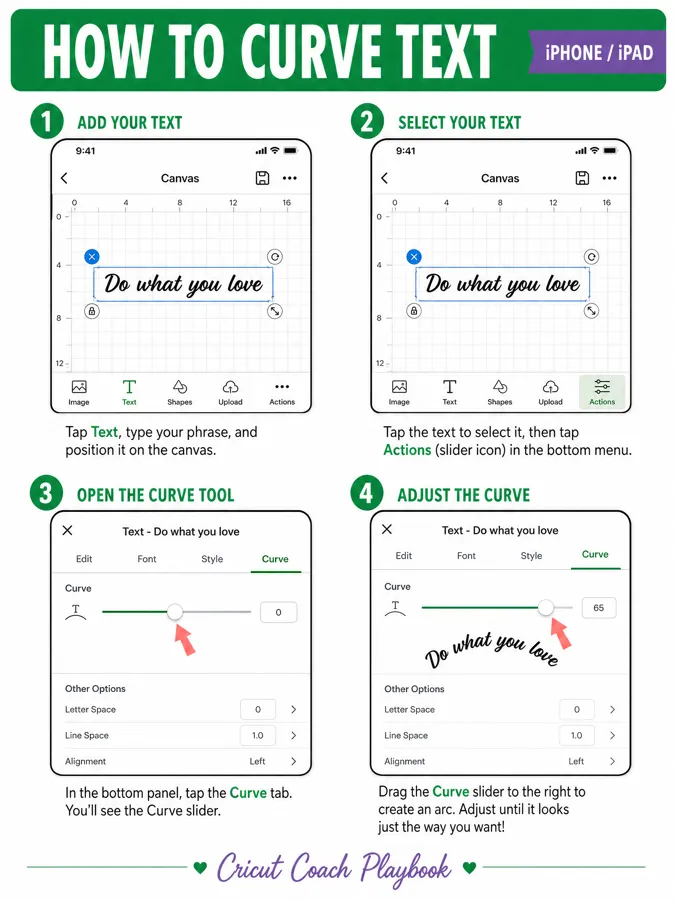
Weld, slice, contour, curve text, Print Then Cut. Each one on its own page, with the exact screen you'll see and arrows on what to click.

02

Every device, color-coded

Mac, Windows, iPhone, iPad and Android. Each page is color-coded by device, so switching from your laptop to your phone doesn't lose you.

03

Any Cricut works

Joy, Joy Xtra, Explore, Explore Air 2, Explore 3, Maker, Maker 3 and Venture. If it runs Design Space, the Playbook works.

04

Print it, keep it close

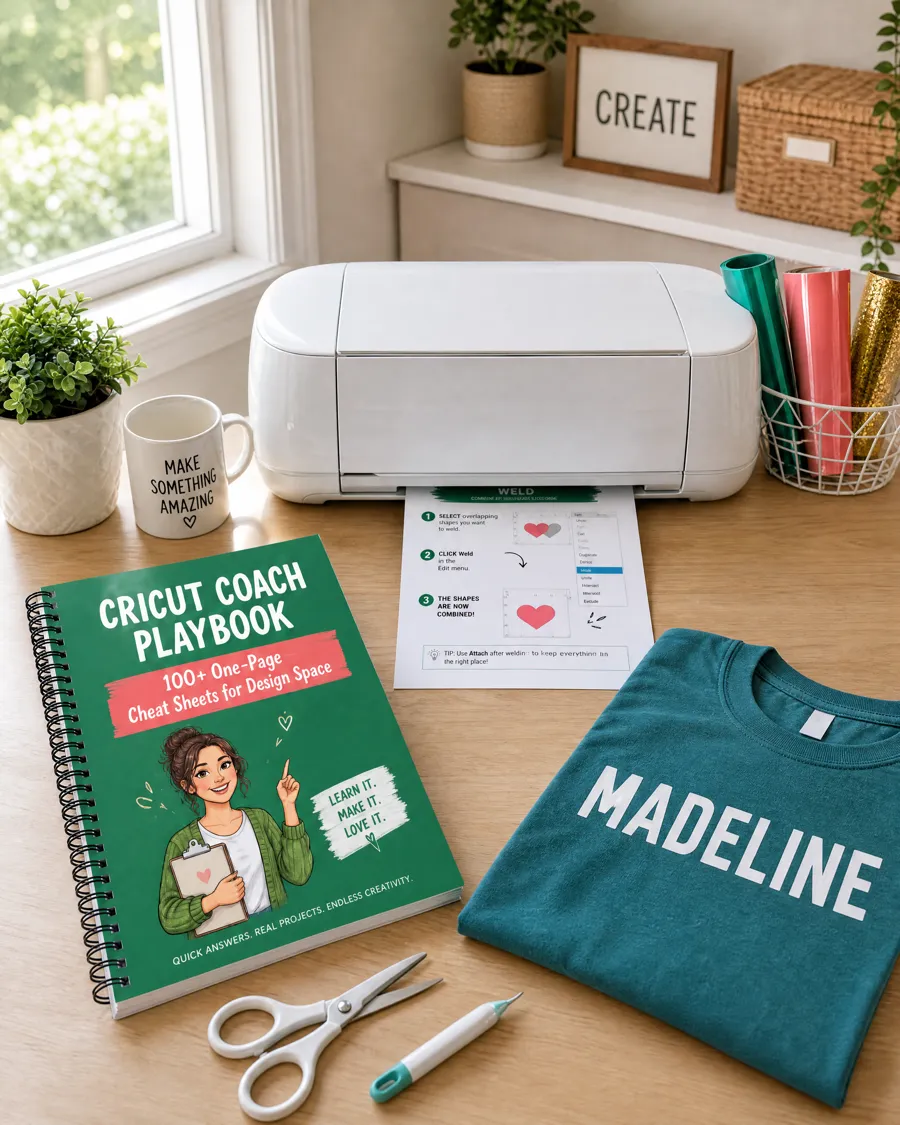
Keep it on your phone, or print it, spiral bind it and slide it under your Cricut. The answer is always one flip away.

Who it's for

Three kinds of Cricut owners love this.

You don't need to be techy. You don't need to watch another tutorial. Pick the one that sounds like you.

Just unboxed it

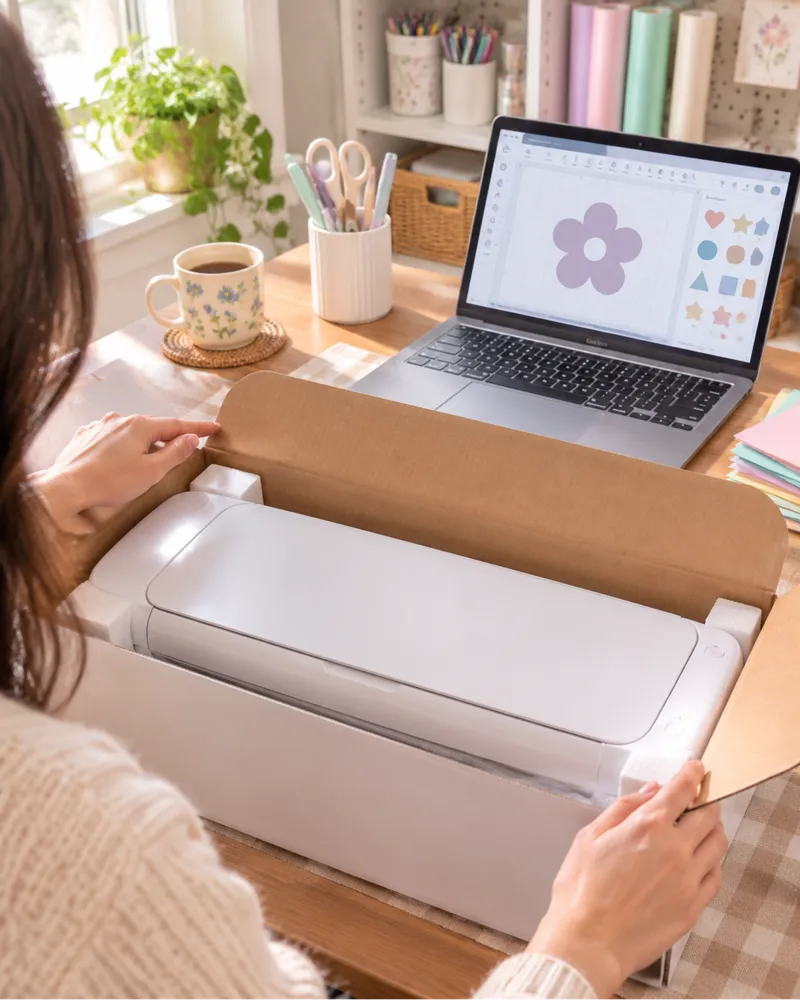
You just got your Cricut and Design Space feels like a cockpit.

Start with the basics: install, connect by Bluetooth, start a project and make your first cut, one page at a time.
  • Getting started pages
  • Beginner Project Ideas
  • 100+ cheat sheets
Cricut Coach Playbook
Bought it, used it twice

You know a little, but you forget everything between projects.

Weld, attach, contour, slice: you learned them once. Now you flip to the page instead of starting the search all over again.
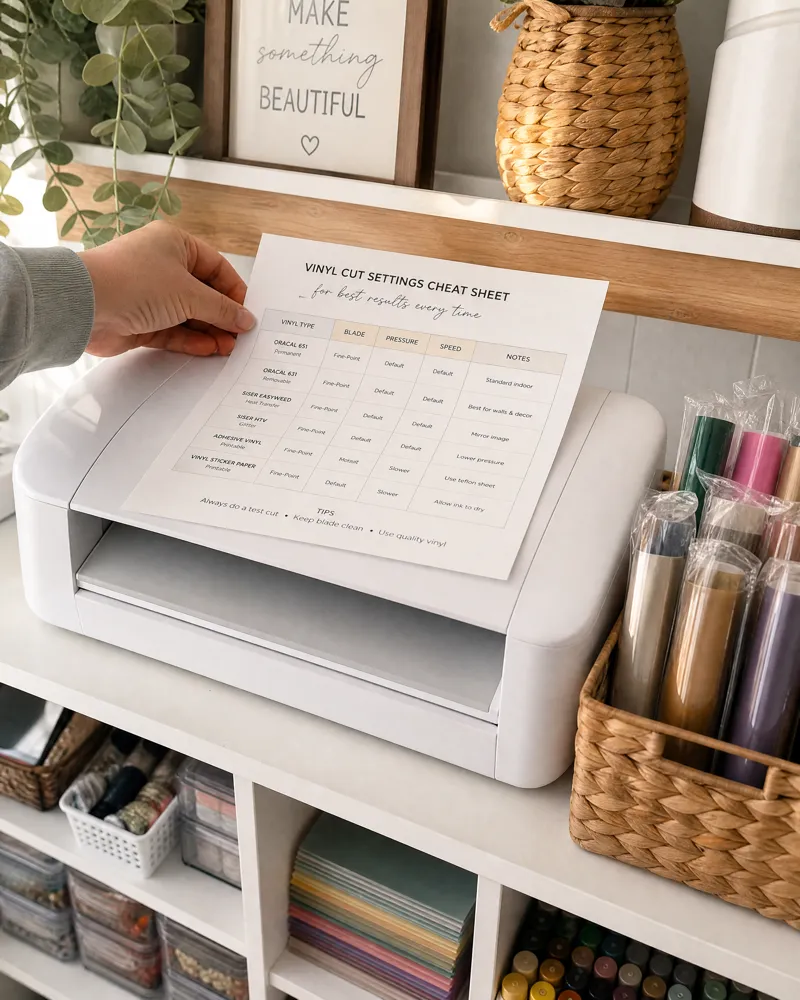
  • Editing tool pages
  • Troubleshooting Rescue Guide
  • Material Settings Chart
Cricut Coach Playbook
Makes for gifts or sells

You make shirts, mugs, stickers and cards and you want speed.

Print Then Cut, offset, knockout text, mirrored iron-on: the advanced tasks done right the first time, with no wasted blanks.
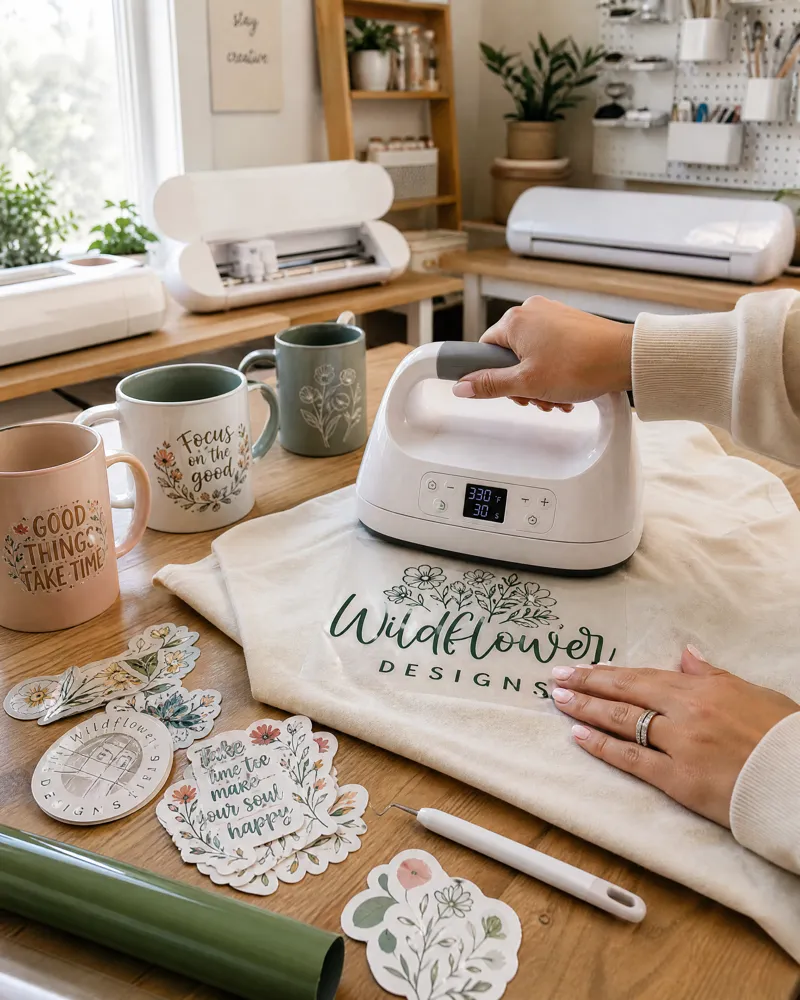
  • Print Then Cut Sticker Guide
  • Heat Press Temperature Guide
  • Weeding & Transfer Tape Guide
Cricut Coach Playbook
📒 Simple as 1, 2, 3

From stuck and searching to your project cut, tonight.

1

Find the page

Look up the task you need in the index (weld, curve text, Print Then Cut) and flip to the page for your device.

2

Follow the arrows

Every step shows the exact screen you'll see, with arrows on what to click and in what order.

3

Make it

Send it to your Cricut with the right material setting and watch it cut. Next time, the page is right there.

What you'll make with it

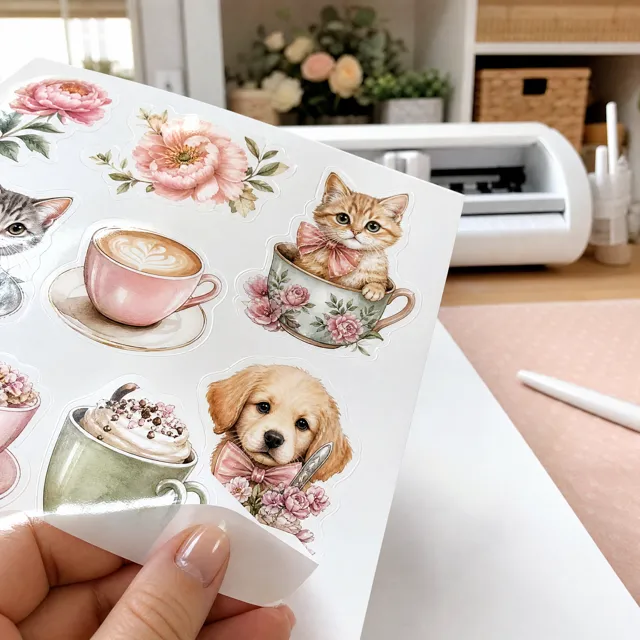
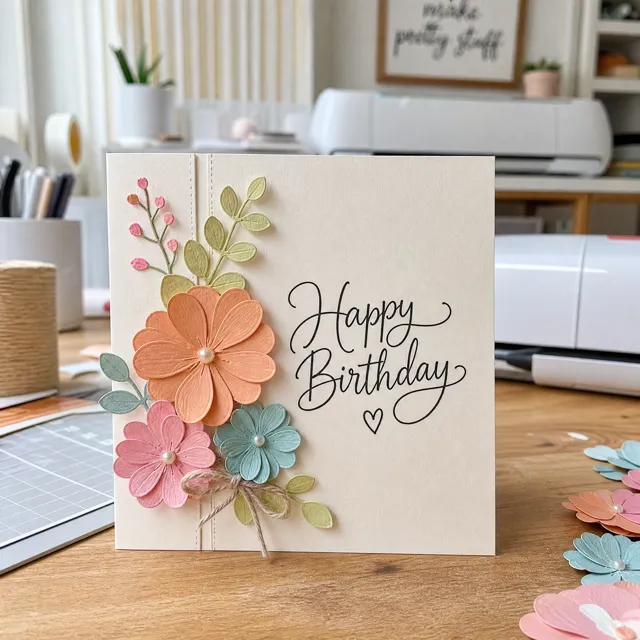
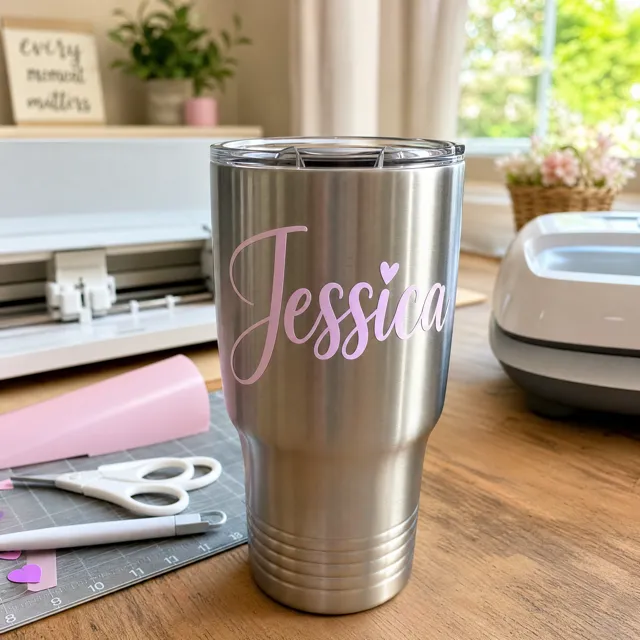
From your first shirt to Print Then Cut stickers.

The projects people bought a Cricut for. Each one uses pages from the Playbook.
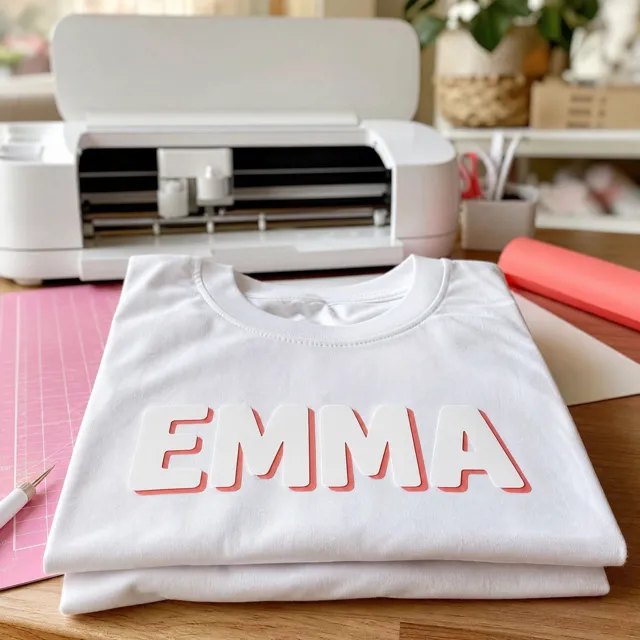
Example projects. The Playbook teaches the Design Space steps behind them; materials and blanks are not included.
What's inside

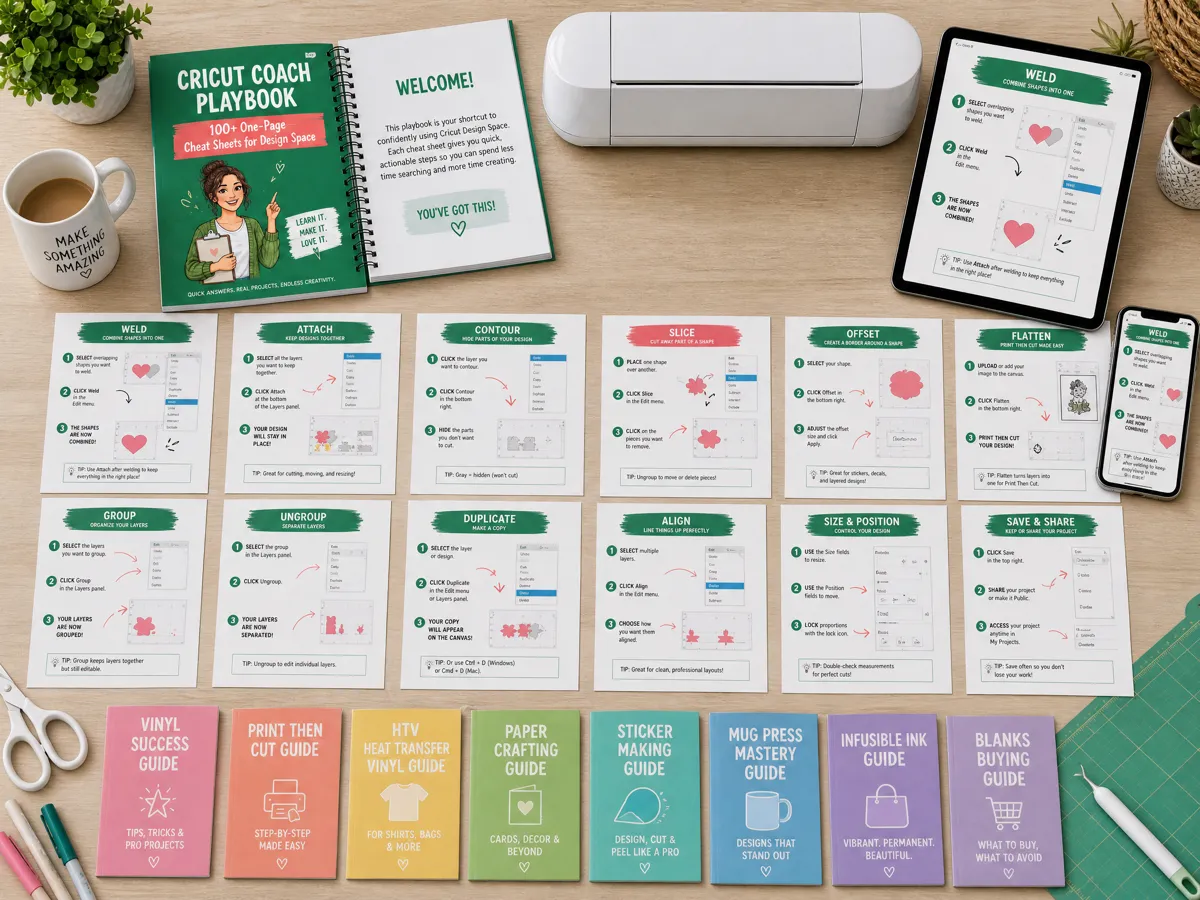
What's inside the Cricut Coach Playbook

Cricut Coach Playbook
  • ✓100+ One-Page Cheat Sheets · every popular Design Space task
  • ✓Color-coded by device : Mac, Windows, iPhone, iPad and Android
  • ✓8 bonus guides · Troubleshooting Rescue Guide, Material Settings Chart, Heat Press Guide and more
  • ✓LIFETIME access · any device
✦ The playbook ✦

A page for every task in Design Space.

From your very first project to the tools nobody remembers.
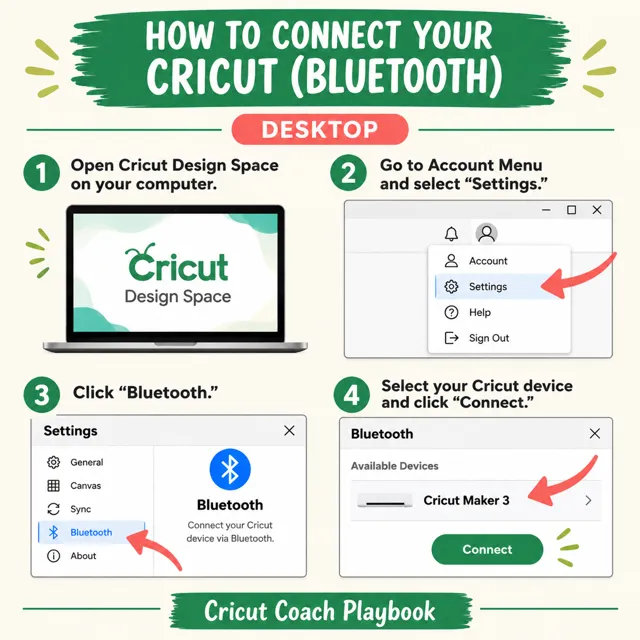
Cricut Coach Playbook
Basics
Cricut Coach Playbook
Text & fonts
Cricut Coach Playbook
Editing tools
Cricut Coach Playbook
Print Then Cut
Cricut Coach Playbook
Vinyl & iron-on
Cricut Coach Playbook
Troubleshooting
DesktopiPhone / iPadAndroid

✦ A peek inside ✦

Cricut Coach Playbook
How to weld
Cricut Coach Playbook
How to curve text
🎁 Order today, get these free

3 deluxe bonuses, $121 value, free with your order.

The 100+ cheat sheets get you through Design Space. These three get you through the machine itself. And you still get 5 more bonuses on top.
Bonus 1Your First $500 Playbook book and tablet
When something goes wrong

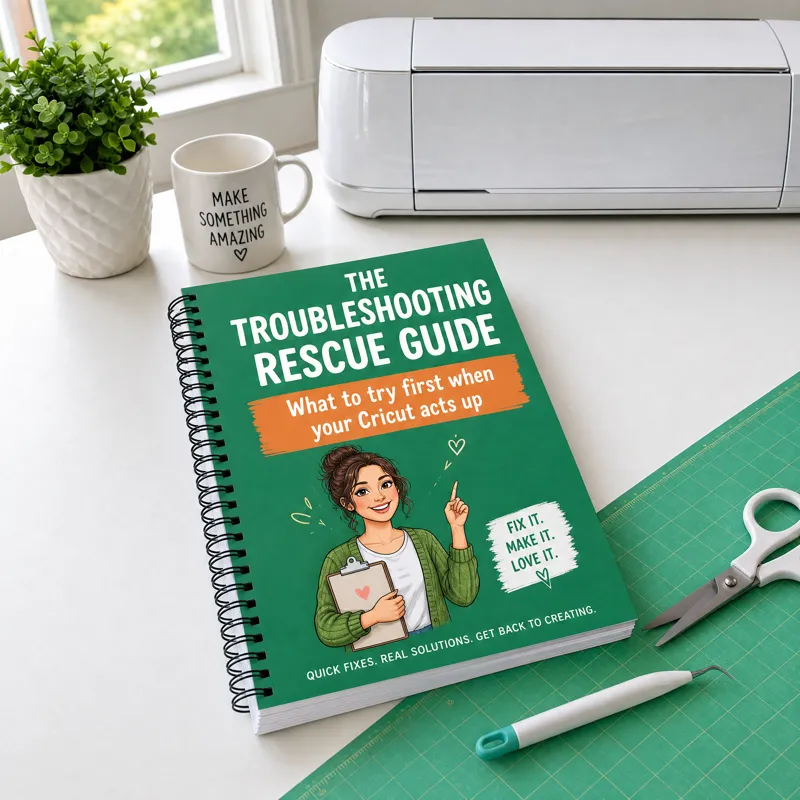
The Troubleshooting Rescue Guide

Bad cuts · Freezes · Calibration

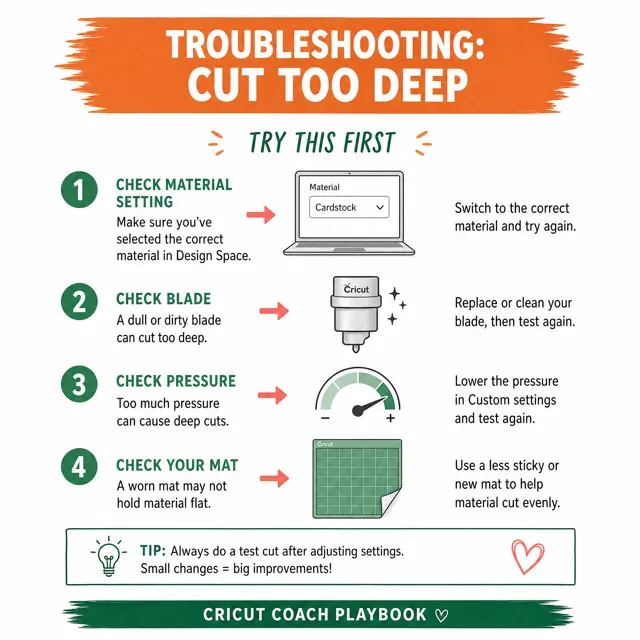
Cuts too deep, tears, won't connect, Print Then Cut won't read the marks. What to try first, in order, before you waste another sheet.
Included free$47 Free today
Bonus 2TruePrice Profit Calculator sheet
Right setting, first time

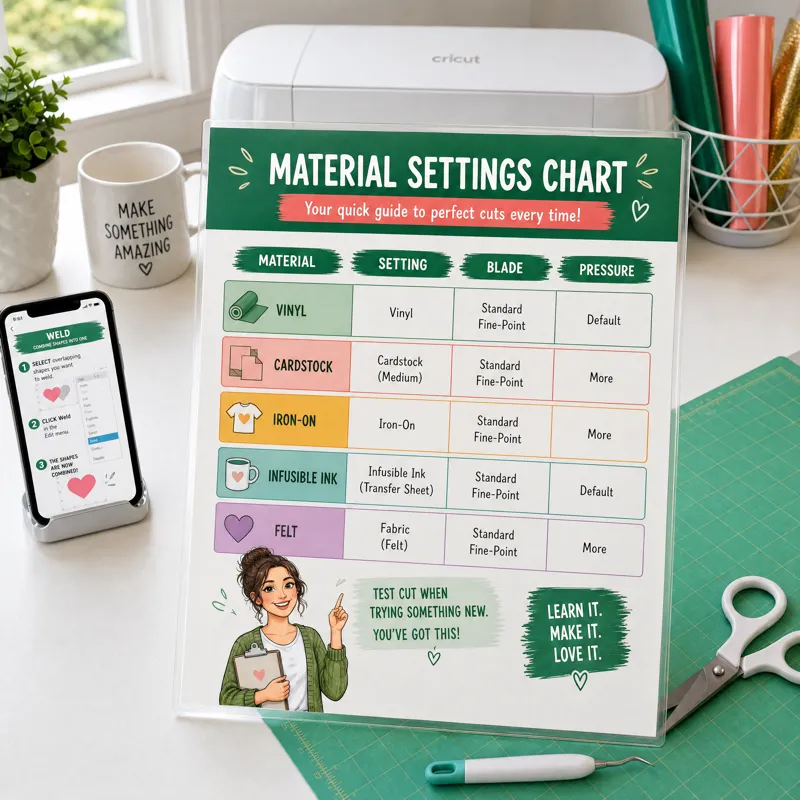
The Material Settings Chart

Vinyl · Cardstock · Iron-on · Infusible ink

Which setting, blade and pressure for 40+ common materials, on one printable chart you keep next to your Cricut.
Included free$47 Free today
Bonus 3Cricut Coach Playbook
No more peeling iron-on

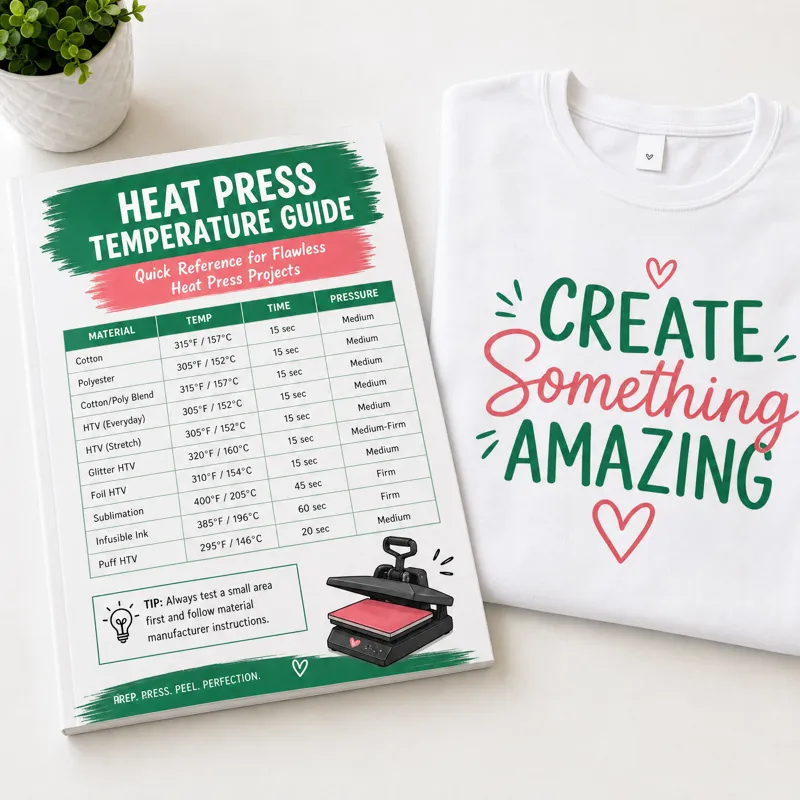
The Heat Press Temperature Guide

Time · Temperature · Pressure

Exact time, temperature and pressure for iron-on on cotton, polyester, blends, canvas and more, with an iron or a press.

Included free$27 Free today

Plus 5 more inside: the Weeding & Transfer Tape Guide, the Print Then Cut Sticker Guide, the Pen & Font Writing Guide, 50 Beginner Project Ideas, and the Design Space Mobile Quick Guide.

SPECIAL OFFERtoday only

One-time payment. Lifetime access.

This offer expires in
00Hours
:
00Minutes
:
00Seconds
★ LAUNCH OFFER ★

CRICUT COACH PLAYBOOK

100+ One-Page Cheat Sheets for Design Space

$47SAVE 43%
$27

One-time payment · USD · Instant access

ALL 8 BONUS GUIDES
INCLUDED FREE
Value: $250TODAY: FREE
GET INSTANT ACCESS — $27Secure checkout · Instant digital delivery
7DAYguarantee
A real, no-fuss guarantee

7 days. No questions. No friction.

Open the Playbook, find the task you've been stuck on and do it tonight. If it doesn't make Design Space easier for you, email us within 7 days and we'll refund every cent. No questions asked.

Frequently asked

The honest questions, answered.

No. It's a full-color digital PDF, so you can open it on your phone, tablet or computer, or print it and keep it next to your Cricut. Nothing is shipped.
Yes. It starts with the basics, from installing Design Space to starting your first project, and every task is shown click by click.
Yes, with any Cricut that uses Design Space: Joy, Joy Xtra, the Explore family, the Maker family and Venture.
Yes. Print Then Cut, SnapMat, Contour, Offset and the mobile app are the ones everyone forgets. These pages take the guesswork out so you get things done fast.
Yes. Every task is shown for Mac, Windows, iPhone/iPad and Android, and each page is color-coded by device.
Yes. It follows the current version of Cricut Design Space.
Yes. Print it at home or have it spiral bound at any office supply store. Many people slide it right under their Cricut.
No. It's an independent guide for Cricut owners, not affiliated with or endorsed by Cricut.
You get your access link by email right after your payment is confirmed, so you can open your first page today.
Yes. Today it's a one-time payment of $27 for the full Playbook and all 8 bonus guides (normally $47). There's no subscription.
Yes! You have a 7-day guarantee. If you're not happy for any reason, just email us and we'll refund 100% of what you paid.
One last thing

Tonight, instead of searching YouTube, open the page and make it.

The people who get the most out of a Cricut aren't the techy ones. They're the ones who keep the steps in front of them. Pick the project you've been putting off, flip to the page and follow the arrows. Your Cricut was made to be used.

Get your Cricut Coach Playbook →